
![MobiKin Eraser for iOS Free 1 Year License [Windows]](https://res.cloudinary.com/dcyntqczd/image/upload/v1771330453/mobikin-eraser-for-ios_zdj4g0.webp "MobiKin Eraser for iOS Free 1 Year License [Windows]")
[TIME-SENSITIVE OFFER]
This official license giveaway is only available for a limited time. Based on the developer’s campaign, this offer will expire on Limited Time (While Supplies Last). Make sure to activate your license before this date; otherwise, the activation code will no longer be valid.
MobiKin Eraser for iOS Free 1 Year License [Windows]
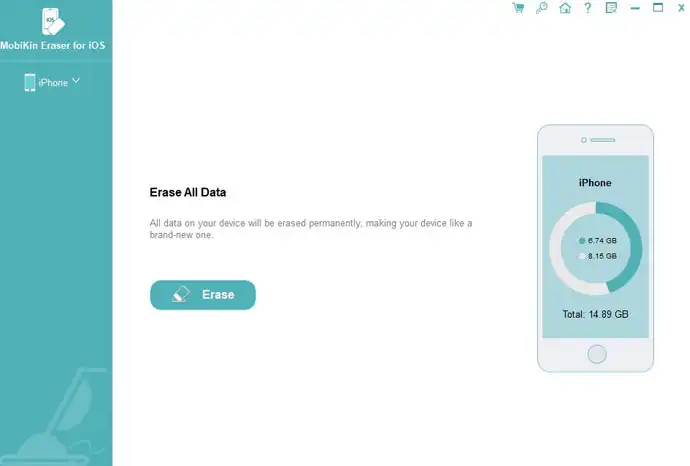
MobiKin Eraser for iOS is a professional security utility designed for Windows users to permanently wipe all data from iPhones, iPads, and iPod touches. Unlike a standard factory reset, this software ensures that deleted files—including contacts, messages, photos, call logs, and sensitive banking information—are rendered completely unrecoverable by any data recovery tool. It utilizes advanced overwriting algorithms to overwrite existing data multiple times, providing a secure solution for users who need to sanitize their devices thoroughly.
The operation process is straightforward and begins by connecting the iOS device to the computer via USB, where the software automatically detects the hardware. Users can choose from three distinct security levels (Low, Medium, or High) depending on their specific needs for speed or depth of erasure. To prevent accidental data loss, the interface mandates a strict manual confirmation step where the user must type the word “delete” into a prompt box before clicking “Erase All Data,” initiating the irreversible cleaning process.
The primary benefit of using this tool is the absolute protection of personal privacy and digital identity, making it an essential step before selling, donating, or recycling an old device. Beyond security, it effectively resolves performance issues caused by accumulated junk files, temporary data, and app fragments that slow down the system over time. By performing a deep clean, it restores the device to a “like-new” state, ensuring that private information remains inaccessible to future owners while optimizing the device’s operational speed.
Get MobiKin Eraser for iOS Free 1 Year License [Windows] for Free:
How to Claim Your Free License
Download the program from the parent company’s servers : https://www.mobikin.com/downloads/mobikin-eraser-for-ios.exe
Copy the code and license found here:
After installing the software, open the program and click on the Key icon. Next, click on Register, then enter the Email and License Code provided. Finally, click Register again to successfully activate and obtain your license
Video explanation