
[TIME-SENSITIVE OFFER]
This official license giveaway is only available for a limited time. Based on the developer’s campaign, this offer will expire on February 10, 2026. Make sure to activate your license before this date; otherwise, the activation code will no longer be valid.
Coolmuster Android Backup Manager
Why You Need Coolmuster Android Backup Manager?
Coolmuster Android Backup Manager is a dedicated professional tool designed specifically for Windows users to manage their Android data with maximum efficiency. If you are looking for a reliable way to avoid data loss, this software offers a “One-Click” solution to bridge your Android device and your PC. It is the perfect tool for users who want a local, secure backup without relying on slow cloud services.
Key Features of Coolmuster Android Backup Manager:
- One-Click Windows Backup: Effortlessly back up your entire Android phone to your Windows PC and restore it whenever needed.
- Full Data Support: Specifically handles contacts, SMS, call logs, media files (photos, videos, music), and even installed apps.
- Flexible Connectivity: Connect your Android device to your PC via USB cable for stability or Wi-Fi for a cable-free experience.
- Selective Restoration: When restoring, you can choose specific categories, ensuring you only put back the data you actually need.
- High-Speed Transfer: Optimized for Windows to handle large data transfers quickly without freezing or quality loss.
- Broad Compatibility: Supports almost all Android brands (Samsung, Xiaomi, Motorola, etc.) running on latest Android versions.
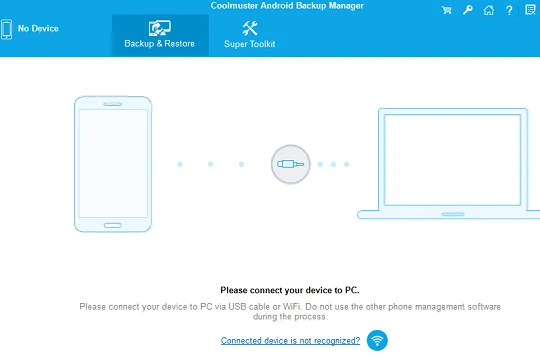
Coolmuster Android Backup Manager Free 1 Year License
Visit this giveaway page: https://www.coolmuster.com/giveaway/android-backup-and-restore.html
How to Claim Your Free License
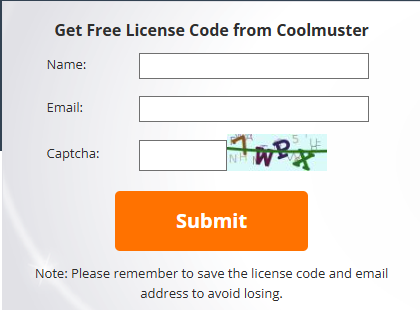
To get your official license, click on the button below to visit the official developer’s giveaway page. Once there, enter your name and any valid email address that you can access. After submitting, wait a few seconds for the confirmation page to appear (as shown in the images below). Copy your unique activation code and click the provided download link to get the software installer. After installation, simply launch the program and enter your code to activate the full version. Please note that the link provided is the official manufacturer’s URL, and the screenshots below will guide you through exactly what you will see on their page and the steps required to complete the process.
Note: After entering your information, your unique activation code and the download link will be sent directly to your email address. In case you don’t see it immediately, please check your Spam folder; however, according to our tests, the license email usually arrives directly in the Primary Inbox, so you should find it easily.
Video explanation